Best Digital Art Software for Beginners: Complete 2026 Guide
Discover the best digital art software for beginners in 2026. Compare features, pricing, and find the perfect creative tool to launch your artistic journey.
The Paradox of Choice in Digital Art Software
Here is a truth that surprises most beginners: the hardest part of starting digital art is not learning to draw. It is choosing which digital art software to use. Walk into any online community of digital artists and you will find the same debate burning beneath the surface, the same tribal lines drawn over raster versus vector, subscription versus perpetual license, iPad versus Wacom. The conversation has become so convoluted that newcomers often spend more time researching software than actually making art. This is a tragedy because digital art software, at its core, is merely a translator between imagination and pixel. The tool matters less than the hand that wields it, yet beginners frequently paralyzed by choice never develop that hand at all. This guide exists to cut through the noise. We will examine the landscape of digital art software in 2026 with the clarity of someone who has watched the field evolve for decades, who has paid for expensive licenses that collected digital dust, and who has discovered that the best software is ultimately the software you will actually use.
Raster, Vector, and the Language of Pixels
Before recommending any specific digital art software, we must address a distinction that trips up nearly every newcomer: the difference between raster and vector editing. Understanding this fundamental divide will save you months of confusion and prevent the common beginner mistake of investing serious time into a tool that was never designed for your goals. Raster software treats your canvas as a grid of individual pixels, much like a traditional painter works on a physical surface. Every brush stroke, every gradient, every blending operation modifies the color value of specific pixels in that grid. Adobe Photoshop remains the canonical example of raster digital art software, and programs like Procreate and Corel Painter follow this paradigm. Raster tools excel at organic work: illustrations that mimic traditional media, photo manipulation, concept art with expressive brushwork, and any art where texture and spontaneity matter more than geometric precision. The tradeoff is resolution dependency. Scale a raster image beyond its native resolution and you will see the pixels themselves, producing the infamous "jaggies" that betray digital origins. Vector software takes an entirely different approach. Instead of painting pixels, vector programs define shapes using mathematical equations that describe curves, angles, and positions. When you draw a circle in vector software, you are not coloring pixels into a circular shape. You are defining a set of instructions that the computer uses to render a circle at any size, at any resolution. Adobe Illustrator represents the dominant vector paradigm, and tools like Inkscape offer free alternatives. Vector art is ideal for logos, icons, technical illustrations, and any work where scalability and clean geometric precision matter. The brushwork feels fundamentally different from raster, often described as drawing with a pen rather than a brush. Most professional digital artists eventually work across both paradigms, using raster software for organic creation and vector software for output that needs to scale cleanly across business cards and billboards. Some programs, including recent versions of Adobe Fresco and the venerable CorelDRAW, attempt to bridge these worlds by offering both environments within a single interface. For beginners, the most practical advice is this: if you want to make illustrations that look hand-drawn, start with raster digital art software. If you want to design logos and crisp geometric compositions, start with vectors. Most artists will eventually want both.
The Free Frontier: Digital Art Software Without the Price Tag
The myth that quality digital art software requires substantial financial investment has been thoroughly dismantled in recent years. An impressive ecosystem of free tools now exists for beginners, and dismissing these options as inadequate "beginner" software reveals a kind of elitism that serves no one. Some of the world's most accomplished digital artists have created work in free software, not because they could not afford alternatives, but because they understood that the tool had become sufficient for their needs. Krita stands as the most compelling argument for free digital art software in 2026. Originally designed as a painting program for comic artists, Krita has evolved into a remarkably complete digital art environment that rivals paid software in nearly every dimension. The brush engine alone deserves careful attention from beginners: Krita offers brush stabilization features that smooth out hand tremors, an issue that discourages many newcomers from digital work. The vector toolset has improved substantially, making Krita suitable for projects that cross between raster illustration and simple vector elements. The interface, while initially overwhelming, becomes intuitive with modest practice, and the large community of users has generated extensive tutorials and brush packs. Best of all, Kinga, the nonprofit foundation behind Krita, operates on a model that ensures the software will remain free forever, with no hidden premium features locked behind paywalls. Krita runs natively on Windows, macOS, and Linux, and while the Linux version requires some technical comfort to set up optimally, the effort rewards users with exceptional performance on modest hardware. GIMP, the GNU Image Manipulation Program, occupies a different niche in the free software landscape. Where Krita targets artists, GIMP positions itself as an image editor closer in spirit to Photoshop. The interface follows a more traditional "everything and the kitchen sink" philosophy that can overwhelm beginners expecting a focused painting experience. For photo editing and manipulation, GIMP remains remarkably capable, but artists seeking a digital painting environment will find the workflow less intuitive than alternatives. Consider GIMP as a supplementary tool rather than a primary creative environment. Inkscape represents the best free option for vector art, and its capabilities have expanded dramatically since early versions produced outputs that professional print shops would reject outright. Inkscape now handles complex path operations, gradient meshes, and typography that would have required paid software a decade ago. For beginners interested in logo design, icon creation, or clean geometric illustration, Inkscape provides an excellent introduction to vector thinking without the investment required by Adobe Illustrator. The learning curve is steep, and the interface diverges substantially from raster software conventions, but the skills developed in Inkscape transfer meaningfully to any vector environment you might adopt later.
Paid Software That Earns Its Keep
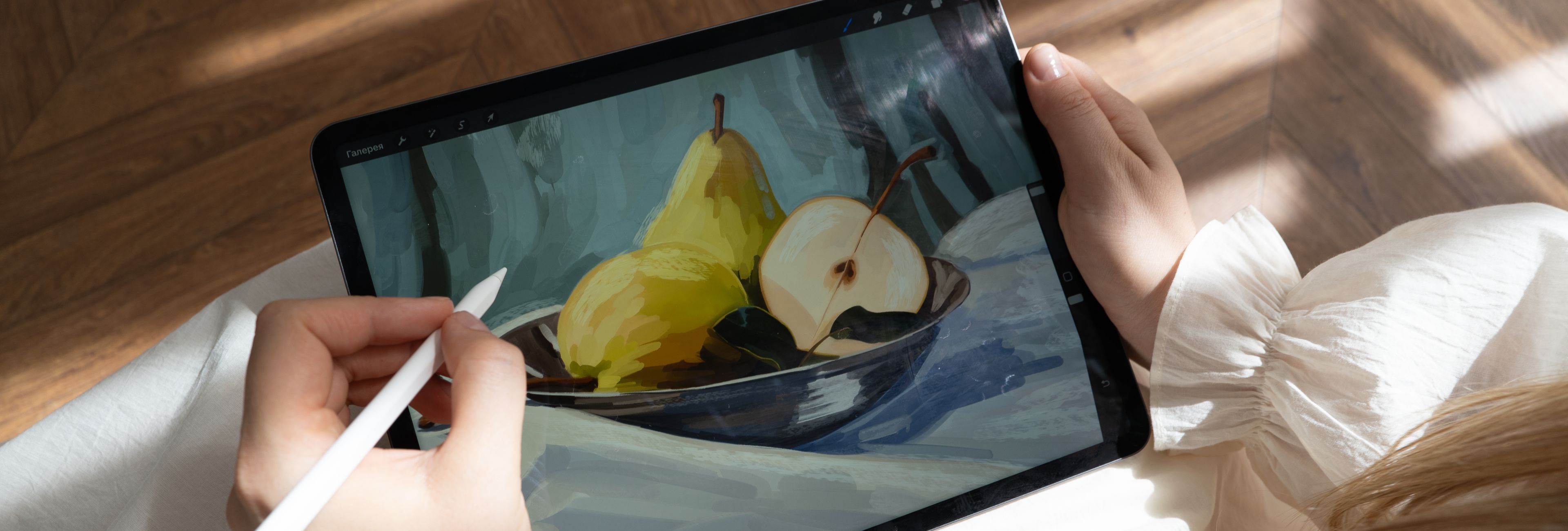
Free software serves beginners well, but certain paid options offer advantages that matter once artistic ambitions clarify into specific goals. The investment is not trivial, ranging from one-time purchases of a few hundred dollars to subscription models that accumulate over years, so beginners should approach paid software with intentionality rather than impulse. Procreate has become the defining digital art software for iPad artists, and its dominance deserves examination. The program's interface strips away complexity in ways that feel liberating rather than limiting. Everything necessary for creation sits within easy reach, and the learning curve for basic operations flattens dramatically compared to desktop software. Procreate's brush engine rewards experimentation, and the growing marketplace of third-party brushes extends functionality in directions that individual artists care about. The software costs a one-time thirty dollars in the App Store, representing exceptional value that has led many professional illustrators to use Procreate as their primary working environment despite having access to expensive desktop alternatives. The obvious limitation is platform: Procreate runs only on iPads, and desktop workflows require additional software for file compatibility. Artists deeply invested in the iPad ecosystem find this limitation irrelevant, but those anticipating professional work should consider whether their future lies in tablet portability or desktop versatility. Clip Studio Paint occupies a particular cultural position in the digital art world that newcomers often discover with surprise. The software originated in Japan as Manga Studio, designed explicitly for comic and manga creation, and this heritage shows in features that other programs treat as afterthoughts. Panel creation, story management, specialized drawing tools for linework, and the exceptional vector layer system reflect the specific demands of sequential art production. Clip Studio Paint's one-time purchase price of fifty dollars for the EX version makes it one of the most cost-effective professional tools available, and the Windows, macOS, and Linux support ensures broad accessibility. Many artists who began using Clip Studio Paint for comics have migrated it into their primary illustration workflow, discovering that the specialized tools enhance work beyond sequential art. The community and resource library built around Clip Studio Paint continue to expand, with professional comic artists sharing techniques and custom brushes that accelerate the learning curve for newcomers. Affinity Publisher, Affinity Photo, and Affinity Designer represent a different purchasing philosophy that has attracted artists frustrated by subscription models. Affinity products are sold as perpetual licenses with a one-time purchase price, and while no guarantees exist about future versions, the current products offer professional-grade capabilities that challenge Adobe's dominance in specific domains. Affinity Designer handles vector work with a precision that satisfies most logo and icon designers. Affinity Photo tackles photo editing and manipulation in ways that directly compete with Photoshop. The ability to work across Affinity products with file compatibility creates a suite that serves most digital artists without recurring fees. The learning resources for Affinity products have grown substantially, though they still lag behind the tutorial ecosystems surrounding more established software. Beginners choosing Affinity products should anticipate a slightly longer path to mastery simply because fewer community resources exist, but the capabilities themselves warrant that extra investment.
Choosing Your Creative Environment
The question "which digital art software should I use?" admits no universal answer, but the question "which digital art software should I start with?" yields to methodical consideration of specific factors. Hardware constraints eliminate certain options immediately: Procreate requires an iPad, and some desktop software runs poorly on machines with limited RAM or integrated graphics processors. Artists working on older laptops or budget Chromebooks will find that Krita, with its efficient resource management, provides a smoother experience than heavier alternatives. Budget considerations matter differently than most beginners expect. The twenty-five dollar monthly subscription for Adobe Creative Cloud, which includes Photoshop, Illustrator, and more, represents reasonable value compared to the historical cost of purchasing these tools individually. However, artists who dislike subscription models will find the ongoing expense philosophically distasteful regardless of the dollar amount. The one-time purchase options from Clip Studio Paint and Affinity suit artists who prefer knowing that a specific investment covers their software indefinitely, even if that investment exceeds the first year of subscription costs. Creative goals shape the selection more than any technical specification. Someone interested in creating character illustrations, book covers, or expressive concept art will develop different priorities than someone focused on technical vector logos or comic page production. The most common mistake beginners make is choosing software based on what professionals use rather than what matches their ambitions. YouTuber tutorials frequently feature Adobe products because those tutorials attract the largest audiences, not because Photoshop represents the optimal starting point for every artist. Reading software reviews reveals another dimension of selection: the intangible factor of personal comfort with an interface. Every digital art software package makes certain choices about how tools are organized, how menus are structured, and how the canvas responds to input. These choices feel subjective and even arbitrary until you have spent significant time with a particular program, at which point they become deeply ingrained habits. The best digital art software for you is the one whose interface becomes invisible over time, allowing your attention to remain entirely on the creative work rather than the mechanical process of creation.
The Skills That Transcend Any Single Tool
Professional digital artists develop competencies that transfer between software environments, which means that the specific tool chosen by a beginner matters less than the underlying skills cultivated through practice. Drawing fundamentals translate completely across platforms: understanding of light, shadow, color theory, composition, and anatomy apply regardless of whether you are working in Procreate, Photoshop, or Krita. The most sophisticated brush engine cannot compensate for weakness in foundational art skills, and beginners who invest in developing those skills will find that switching between software options becomes progressively easier as their artistic judgment matures. Layer management, selection techniques, and color workflows share conceptual frameworks across most digital art software, even when the specific implementation differs. Once you understand how layers blend and interact in one program, adapting that knowledge to another environment requires days rather than months. This reality should provide substantial comfort to beginners worried about choosing the "wrong" software: the skills you build will not become obsolete when you inevitably encounter a new tool or transition to a different creative environment. The question that matters most is whether you are actually using your software. No amount of feature comparison, community recommendation, or professional endorsement justifies software that remains unopened. The best digital art software for beginners is the one that lowers the barrier between imagination and image, that feels intuitive enough to use without frustration, and that remains accessible enough to open daily without requiring special circumstances or elaborate setup. This practical truth means that sometimes the "wrong" choice becomes right simply because an artist actually engages with it consistently. Conversely, objectively superior software that never gets used because of intimidating interfaces or prohibitive system requirements fails its user completely. Treat your first software choice as a beginning rather than a permanent commitment, understanding that the digital art landscape will shift beneath you over the years. The artist who masters one environment and then migrates to another brings valuable perspective to the new tool: they understand what features matter to their practice, which workflows served them well, and what limitations they want the next software to address. This informed selection process beats the paralysis that comes from endless research without action. Draw. Make bad art. Make more bad art. The software that enables that practice is the software worth using.